Opening this page needs a code sent to your email.
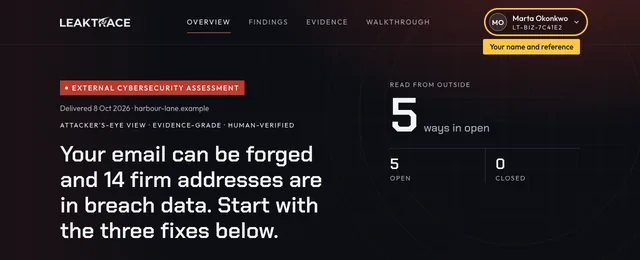
External Cybersecurity AssessmentDelivered 16 Oct 2026 · harbourview-llp.example
Attacker’s-eye view · Evidence-grade · Human-verifiedHuman-verified before release
Your email can be forged and 14 firm addresses are in breach data. Two fixes below close it.
Re-checked every hour: your email settings, look-alike domains and new host names, with an alert within the hour when one changes. Everything else is re-checked in full every day, and anything new there reaches you that day.
The exact record to paste, written for your DNS host. It is the first of three stages over two to four weeks, and each stage waits for you.
These steps take about 20 minutes in the account where your domain is managed. If you get stuck, reply to your delivery email and a person at [email protected] will help. We answer questions about the steps; we do not make the change in your account.
The steps (7)
Log into the company that manages your domain's DNS (usually where the domain is registered) → DNS Settings → Add Record → Type: TXT → Name: _dmarc → Value: v=DMARC1; p=none; rua=mailto:[email protected] (replace yourdomain.ca with your actual domain, and ADDRESS-YOU-READ with a mailbox someone at your firm reads, because the reports arrive there).
Read the reports that arrive for about two weeks to see every service that sends mail as you, such as your booking system, accounting software and payment processor, and make sure each one is covered by SPF and DKIM.
Then change p=none to p=quarantine only when every one of those services is covered, and to p=reject the same way.
The date alone does not make a step safe: do not raise it until the reports show every sender is covered.
Do not go straight to p=reject: enforcing before every sender is known can stop your own mail being delivered.
At p=reject, receiving mail servers refuse email that pretends to come from your domain.
It stops forged mail from your own domain; lookalike domains need watching separately.
If this is used against you
Mail forged in your name tells a client to pay somewhere new. Reported spear phishing losses averaged roughly $119,000 per victim in 2025.
14 firm addresses on harbourview-llp.example are present in monitored breach databases.
Where it is doneEach account named
Rough timeAbout 30 to 60 minutes an account
Proof it is done
In your email admin console, each exposed account shows a new password and multi-factor sign-in enforced.
Not sent yet
If this is used against you
If a password was reused on a listed address, someone can open that mailbox and redirect a payment. Reported spear phishing losses averaged roughly $119,000 per victim in 2025.
What AI assistants say about youNot in this record
Not part of this record
Your AI security agent
It answers from your firm’s own findings and cites each one. It drafts a note about any finding for you to send, and it re-checks a finding when you approve it. When your findings do not answer a question, a person replies.
Our AI agents work from outside only. They never log in, never install anything, and never touch your internal systems. The one change they can make, to your email records, happens only when you approve it.
Try: “What should we fix first?”, “Draft a note about Finding 02”, “Finding 02 is fixed, check it again”.
AI agent activity
What the outside checks and your AI agent did for your firm, newest first. Running for your firm: email settings, look-alike domains and new host names are re-checked every hour, and everything else in full every day.
15 SepDiscoverRead your firm from outside: 2 found, each with its evidence.
Show all activity (1)
Nothing yet. Each re-check, each change found and each question you ask is listed here with its date.
Registered domains with names close to yours
6 listed
Each domain is graded from what we read about it from outside, never from who we think owns it. Only the ones graded “worth a look” are raised as findings. The others are listed so you can see they were found.
harbourviewllp.example
Registered, nothing more known. harbourviewllp.example: has a website. One sign only (its name is one character off a name longer than six letters), not enough to grade it a concern.
harbourview-llp-law.example
Registered, nothing more known. harbourview-llp-law.example: has a website. Nothing more is known about it.
harbourviewllplaw.example
Registered, nothing more known. harbourviewllplaw.example: has a website. Nothing more is known about it.
harbourview-llp-legal.example
Registered, nothing more known. harbourview-llp-legal.example: has a website. Nothing more is known about it.
myharbourviewllp.example
Registered, nothing more known. myharbourviewllp.example: has a website. Nothing more is known about it.
harbourview-llps.example
Registered, nothing more known. harbourview-llps.example: has a website. One sign only (its name is one character off a name longer than six letters), not enough to grade it a concern.
Dated and sourced
Seen this week, matched to you
Matched on the way in the source reported. It does not mean your firm was affected.
Way in, as reported: email made to look like it came from a trusted sender.
Open on yours: Nothing tells mail servers to refuse email forged in your name. Fix 1 closes this.
Validate
Open and closed, with the proof
What was publicly visible from outside on 15 September 2026. It does not cover your internal systems.
2ways in open (1 at your assessment, 1 found since)0closed, awaiting re-check0confirmed7settings to tidy
OpenClosed, awaiting re-checkConfirmed
Email
1 finding
Finding 02Open
Nothing tells mail servers to refuse email forged in your nameTechnical name: No DMARC record
Attackers can send fake invoices and emails from your domain and recipients have no authoritative way to reject them. Checked 15 Sep 2026. At your assessment (15 Sep): no DMARC record is published. At the latest check (16 Oct): a DMARC record is published at p=none (reports only; forged mail is not refused).
Your domain publishes no instruction telling mail servers to refuse email that fails its checks. Someone can send email in your name, and nothing you publish asks for it to be turned away. Requests to pay or to move client money, and forged invoices, can all be sent in your firm's name while this is open.
Found in a later check on 16 Oct. Your assessment did not list any. 14 addresses on harbourview-llp.example are present in monitored breach databases. The lookup returned a count and no names. To check the addresses your people use, run the named address check under Share and export.
Proof
14 addresses on harbourview-llp.example are present in monitored breach databases.
A password for these addresses was published after a breach at another site. If it was reused anywhere, including your email, someone could sign in as that person. Resetting the password and turning on a second sign-in step removes the risk.
This one we cannot confirm from outside: a breach listing stays listed after the passwords are changed. When the listed passwords are changed and a second sign-in step is on, tell us with the button below and we record your confirmation with its date.
Your site does not send every one of the standard settings that tell a visitor's browser how to treat its pages. None of them opens your site to anyone by itself. Each closes a small gap, and they are all set in one place.
Strict-Transport-Security: Browsers are not told to always use a secure connection to your site
Content-Security-Policy: Your site does not limit which scripts may run on its pages
X-Frame-Options: Your site can be shown inside someone else's page
X-Content-Type-Options: A browser may treat a file from your site as something it is not
Referrer-Policy: Your site passes the addresses visitors came from to outside services
Permissions-Policy: Your site does not limit what outside scripts may ask a visitor's browser for
Other mail servers are not required to use an encrypted connection when they send email to you. Where a connection is not encrypted, someone on the network path could read the message.
This one we cannot confirm from outside. Mark it done when it is fixed and we record your confirmation with its date.
You get no reports when email to you fails to arrive securelyTechnical name: TLS-RPT not set up
You get no notice when another mail server cannot deliver email to you over an encrypted connection, so a delivery problem or an attempt to interfere would go unseen. Checked 15 Sep 2026.
You get no notice when another mail server cannot deliver email to you over an encrypted connection, so a delivery problem or an attempt to interfere would go unseen.
This one we cannot confirm from outside. Mark it done when it is fixed and we record your confirmation with its date.
An online storage folder with your firm's name exists, called harbourview-llp. We could not open it and cannot tell whose it is. Please say whether it is yours
Waiting for your answer.
Is this storage account yours? It is called harbourview-llp. Anyone can pick any storage name, so we cannot tell whose it is. If it is not yours, answer no and this closes.
Anyone can pick any storage name, so a name like your firm's proves nothing by itself. If it is yours, answer yes and the steps to check follow. If it is not, answer no and this closes as not yours.
Our reading is from outside. What only your own people can see, they check themselves: each person on your list gets a short email on your schedule with a few things to look at in their own email account, and records what they found here with the date. You get an email at once if anyone finds something or could not do a check.
These are your team's own confirmations, each with its date. We do not go inside your email or systems, so we have not checked them. They are not findings, and they do not change your count of ways in or your rating.
How often
The inside checklist is not on. Choose how often, add the people to include, and save.
We could not tell your mail system from outside, so each step is worded in general terms.
Who gets it
You[email protected]. Once a month the list sent to you also asks about accounts of former staff, the list of admins, and a backup test.
Rating, for comparison only
66/ 100HighWas 66 at your assessment, 15 Sep
LowModerateHighCritical
High: more than one way in is open. One of them: firm addresses are in breach data. Counting firm addresses in breach data as a way in that is open is our judgement, resting on NIST SP 800-63B on reused passwords, and we never say a listed password still works. A lower rating is better. The band is decided by what was found; the number only orders firms inside a band. 10 of 10 checks answered. The rating describes what can be read from outside your firm. It says nothing about what is inside: devices, backups, staff sign-in settings or training. How the rating works, and how to tell us it is wrong. On 9 October 2026 we changed how the rating is worked out. This reading was 78 under the old method and is 66 under the new one. Nothing about your firm changed that day.
Against your sector
Your firm ranks 36 of 100 among 816 law firms we have read.
1 · least exposed100 · most exposed
1 is the least exposed and 100 the most. Each firm counts once, at its latest assessment; test, demonstration and incomplete assessments are left out. No other firm is named. Recomputed daily, last on 16 Oct 2026.
Finding
Share of law firms
Yours
Email that can be forged in the firm’s name
71% of 818
You have this
No list of allowed mail senders (SPF)
12% of 818
Clear
Firm addresses in breach databases
29% of 522
You have this
Look-alike domains registered
66% of 819
Not assessed
A service reachable that should not be
31% of 467
Not assessed
MonitorNext re-check 17 Oct
What we keep watching
Re-checked every hour: your email settings, look-alike domains and new host names, with an alert within the hour when one changes. Everything else is re-checked in full every day, and anything new there reaches you that day.
Your evidence pack: an owner summary, the technical evidence with the fix for every finding, a rules and insurance briefing, and a dated assessment record · dated 16 Oct 2026
For the owners
Owner Summary and Action Brief
PDF · 5 pages
The verdict, the fixes in order and what each one closes.
A dated record of what was read from outside and found, verified by a person at LeakTrace before release. Not a certification. Outside verified by us. Inside confirmed by your team. The record holds the outside half. Your team's own checks are kept apart from it, each with its date, on your assessment page.
Questions cyber insurance applications commonly ask: 7 of 11 can be shown from outside
4 need an answer from inside your firm: no outside check can see them. 1 of the 7 is marked Not confirmed: we looked and did not find it, and a look from inside your firm settles it.
The outside questions cyber insurance applications commonly ask, each with its evidence. Each row is what anyone can see of your firm from outside, with the proof under it. Questions about what happens inside your firm are marked "Not visible from outside": those are answered from inside your firm. You and your broker answer the application; the insurer makes its own decision.
Answered from outside
7
Do you publish an SPF record listing the servers allowed to send your mail?
Partly
SPF record published.
Helps you answer: Answer Yes, the record exists. Ending it in -all makes it strict.
Is outgoing email signed with DKIM?
Not confirmed
DKIM signing couldn't be confirmed from outside (default, selector1, selector2, google, s1, s2, k1, mxvault). A key on another name is not visible from outside. Read at your assessment on 15 Sep 2026; the latest re-check did not answer.
Helps you answer: Check which selector your mail service signs with. If none, turn DKIM signing on in the mail service.
Does your domain enforce DMARC at quarantine or reject?
Not yet
DMARC is published at p=none: forged mail is reported, not refused. At your assessment (15 Sep 2026): no DMARC record is published. At the latest check: a DMARC record is published at p=none (reports only; forged mail is not refused).
Helps you answer: Answer No today. Moving the policy to p=quarantine, then p=reject, turns this to Yes.
Do you keep internet-facing software patched and up to date?
Partly
No known-vulnerable website software found in the scripts we read. The server names its software (nginx), which helps an attacker match known flaws. Read at your assessment on 15 Sep 2026; the latest re-check did not answer.
Helps you answer: Answer Yes for the website software we read; hiding the version banner closes the rest.
Is all web traffic to your site encrypted with a valid certificate?
Partly
Valid certificate from Let's Encrypt, expires 2026-11-09. The site does not yet insist on a secure connection (no HSTS).
Helps you answer: Answer Yes; adding the HSTS header makes it complete.
Are staff email addresses clear of known breach data?
Not yet
14 firm addresses at harbourview-llp.example are present in monitored breach databases.
Helps you answer: Answer No today; resetting those passwords and turning on a second sign-in step is the fix insurers look for.
Are remote-access and database services closed to the internet?
Yes
No remote-access or database port answered from outside (2 ports checked open, none of them remote access). Read at your assessment on 15 Sep 2026; the latest re-check did not answer.
Helps you answer: Answer Yes for what faces the internet.
Not visible from outside
4
Do you require multi-factor sign-in for email and remote access?
Not visible from outside
Whether a second sign-in step is enforced cannot be seen from outside. We found no public sign-in page on the parts of the site we read. 14 firm addresses are present in monitored breach databases; a second step stops a leaked password being enough on its own.
Helps you answer: Confirm that each sign-in listed here requires a second step, then answer for your firm.
Do you keep offline or immutable backups, and test restoring them?
Not visible from outside
Not visible from outside: no outside check can see this.
Helps you answer: Answer from inside your firm.
Is sensitive data encrypted on laptops and servers?
Not visible from outside
Not visible from outside: no outside check can see this.
Helps you answer: Answer from inside your firm.
Do you run endpoint protection (EDR) on every computer?
Not visible from outside
Not visible from outside: no outside check can see this.
Helps you answer: Answer from inside your firm.
Your walkthrough, recorded from this dashboard
A short video of this page as it stood at release: your open ways in, who does each fix, how to mark one done, your documents and what we keep watching. No sound is needed.
A private link to a read-only view of every finding and its evidence, marked with their email. It expires on the date you choose. They open it with a code we send to that email, so enter the address they read.
Evidence bundle
Download the evidence package
A ZIP with every finding, its evidence and its timeline as a PDF, plus the same data as JSON for your own records tools.
Give your star rating and answer G2's questions in your own words. Do not paste text or use AI.
Verify when G2 asks. A work email is quickest. With LinkedIn, the name on your dashboard must match the name on your LinkedIn profile. A personal email address needs a screenshot of your dashboard with your name showing.
Submit. G2 checks each review, typically up to three working days, and emails you when it is published or rejected.
We do not see your review before it is published.
We offer nothing in return.
An honest review is what we are asking for, whatever it says.
Show me each step
Take this screenshot first
Open your LeakTrace dashboard on a laptop or desktop, with the browser window at full width.
Stay at the top of the page. Do not scroll.
It must show the logo and your domain at the top left.
It must show your name and reference at the top right. Do not crop out your name or reference.
Mac: press Shift + Command + 3.
Windows: press the Windows key + Shift + S, then drag across the window.
Crop it to the logo, your domain and your name. Leave out the findings.
Good to know
Everyone should have it ready. With a personal email address you must upload it.
You do not need the findings list.
A normal PNG or JPG is fine.
Only G2 moderators see it. G2 says it is never made public.
Example
Continue to G2 and click Review Now
Press the Continue to G2 button at the top of this panel.
G2 opens a page called "Share your ideas about LeakTrace".
Click the purple Review Now button.
ImportantChoose Form
Voice is already selected. Change it.
Choose Form, the third option, then start.
Good to know
G2 asks "How do you want to leave your review?"
Form lets you type your own words. With Voice and Chat, G2's AI writes the review for you.
Type your answers yourself
Type each answer straight into the form, in your own words.
Do not paste text in.
Do not use AI to write or polish it.
Do not press the Refine button in the answer box. That is G2's AI rewriter.
Good to know
G2 asks for your real experience. It does not accept text copied from other sources.
Expect three parts: About the Product, About You and About Your Organization.
The questions come one at a time.
They ask what you like best, what you dislike, what problems the product solves and how that benefits you.
Then a star rating, your role, your industry and your company size.
The first answer needs at least 40 characters.
Verify that you use the product
G2 verifies you one of three ways.
Business email: fastest. G2 says a work email lets its moderators verify you faster.
LinkedIn: fine if your profile shows where you work.
Screenshot of you signed in to the product: required if you sign in with a personal email address such as Gmail, Hotmail, Outlook, Yahoo or iCloud. G2 says these make verifying harder.
With a personal email you must upload the screenshot from step 1.
With a business email or LinkedIn you can verify that way instead.
Use your real name, the same one on your dashboard.
Submit
Good to know
A G2 moderator checks every review before it appears.
G2 says this can take up to 3 business days.
G2 emails you when your review is published, or when it is rejected, with the reason.
G2's rules
G2 accepts one review per person per product.
G2 does not accept reviews from current or former employees of the company that makes the product, or from its direct competitors.
G2 asks for recent use of the product, within the last 2 years.
G2 checks for conflicts of interest. Answer any question about how you got the product, or your relationship with us, exactly as it is.